

If your small business website has multiple pages with similar or identical content, think product variations, printer-friendly versions, or pages accessible through different URLs, search engines might not know which version to prioritize. That’s exactly the problem canonical tags for SEO solve. They tell Google which page is the "original," so your ranking signals don’t get split across duplicates.
Here’s the thing: duplicate content issues are more common than most business owners realize. They can happen without you doing anything wrong, your CMS might generate extra URLs automatically, or tracking parameters could create copies of your pages. Left unchecked, this quietly chips away at your search visibility and makes it harder for customers to find you. At Avatar Website Design, we deal with these technical details every time we build and optimize a site for our clients, because a well-built website goes far beyond how it looks on screen.
This guide breaks down what canonical tags are, why they matter for your site’s SEO performance, and exactly how to implement them correctly. Whether you’re managing your own website or just want to understand what’s happening behind the scenes, you’ll walk away with a clear, practical grasp of this essential SEO element. We’ll cover common mistakes to avoid, best practices, and real scenarios where canonical tags make a measurable difference.
Why canonical tags matter for SEO
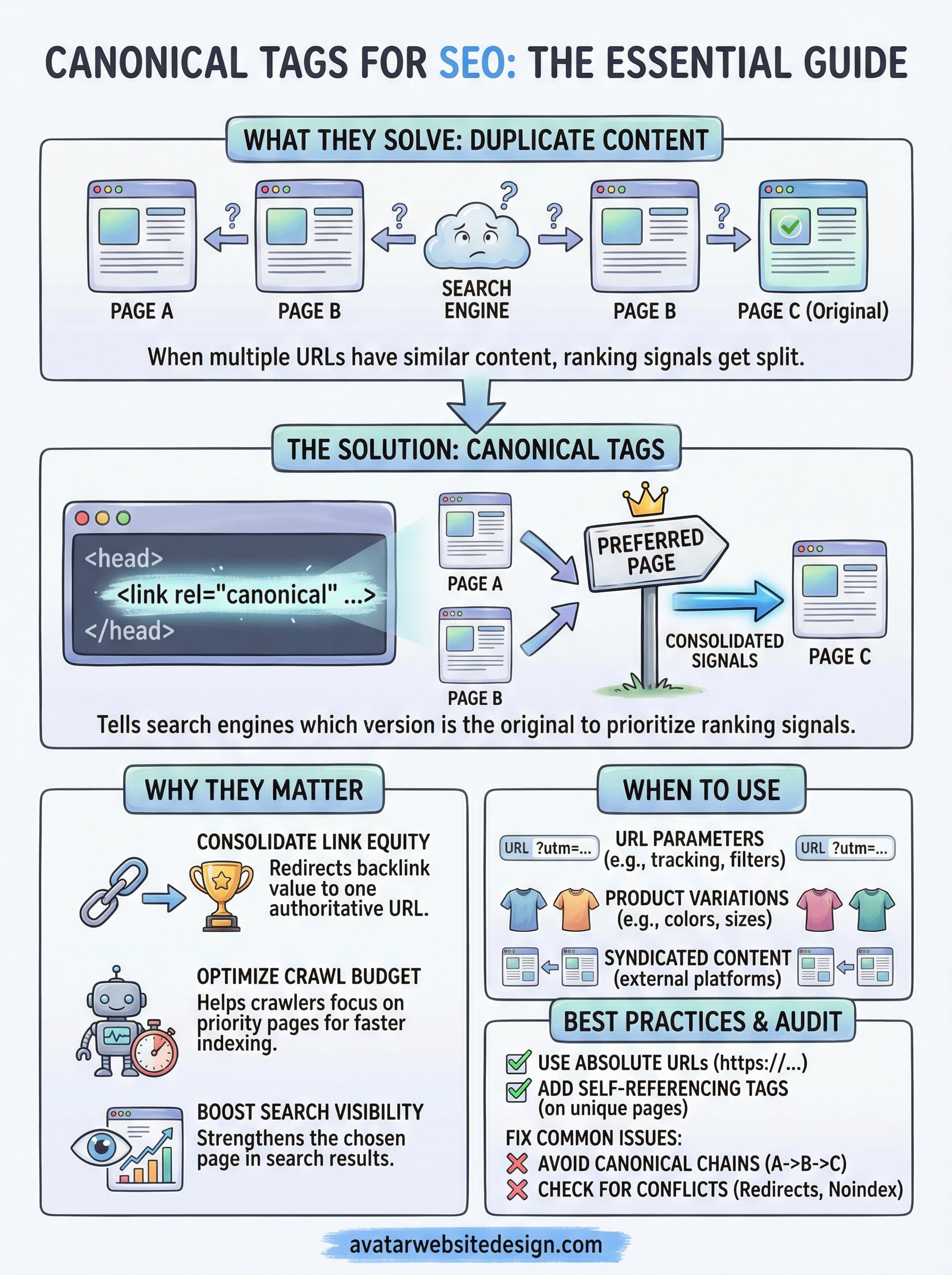
When Google discovers multiple pages with the same or very similar content, it faces a decision: which one should rank? Without a canonical tag pointing to the right page, Google makes that call on its own, and it doesn’t always choose the version you want. The result is that your SEO efforts get diluted across several URLs instead of flowing to one strong, authoritative page. For small business owners who invest time and money into their websites, that’s a problem worth solving early.
How duplicate content dilutes your rankings
Search engines don’t penalize you for accidentally having duplicate content, but they do struggle with it. When Google finds two or three versions of the same page, it splits the ranking signals, including backlinks, authority, and user engagement data, between those URLs. None of the versions gets the full benefit. Using canonical tags for SEO tells Google which version is the real one, so all those signals stack up in one place instead of spreading thin across pages that shouldn’t be competing with each other.
When you consolidate ranking signals onto a single canonical URL, that page becomes significantly stronger in search results than any of the split versions could have been on their own.
How link equity flows through a canonical tag
Every time another website links to one of your pages, that link carries ranking value, often called link equity. If you have three URLs showing the same content and external sites link to different versions, that value gets divided three ways. A canonical tag redirects all that link equity to your chosen URL. You don’t lose the value of those backlinks; you concentrate it. That’s a direct, measurable SEO advantage, especially as your site earns more links over time through content, partnerships, and local business directories.
What happens to crawl budget without canonicals
Search engines only have so much time to crawl your site on each visit. When your site has dozens of duplicate or near-duplicate URLs, crawlers burn through that budget on pages that won’t rank instead of discovering and indexing your best content. For small business websites, this might not seem urgent, but it becomes a real problem as your site grows with blog posts, product pages, and filtered category pages. Properly set canonical tags help search engines focus their crawl time on your priority pages, which means your most important content gets indexed faster and more consistently.
Your site’s structure directly affects how well Google understands and ranks your content. Canonical tags are one of the clearest signals you can send, and implementing them correctly gives you a measurable edge without requiring any additional content or paid effort.
When you should use canonical tags
Canonical tags solve a specific problem, so knowing exactly when to apply them keeps your site structure clean without adding unnecessary complexity. Certain common situations almost always produce duplicate URLs, and these are the scenarios where a canonical tag earns its place on your site.
URL parameters and near-duplicate pages
Tracking parameters, session IDs, and filter URLs are among the most common sources of duplicate content on small business websites. When a visitor clicks a link with a UTM parameter appended or uses a filter on a product page, your server often serves the same content under a different URL. Search engines see these as separate pages and may split your ranking signals across all of them.
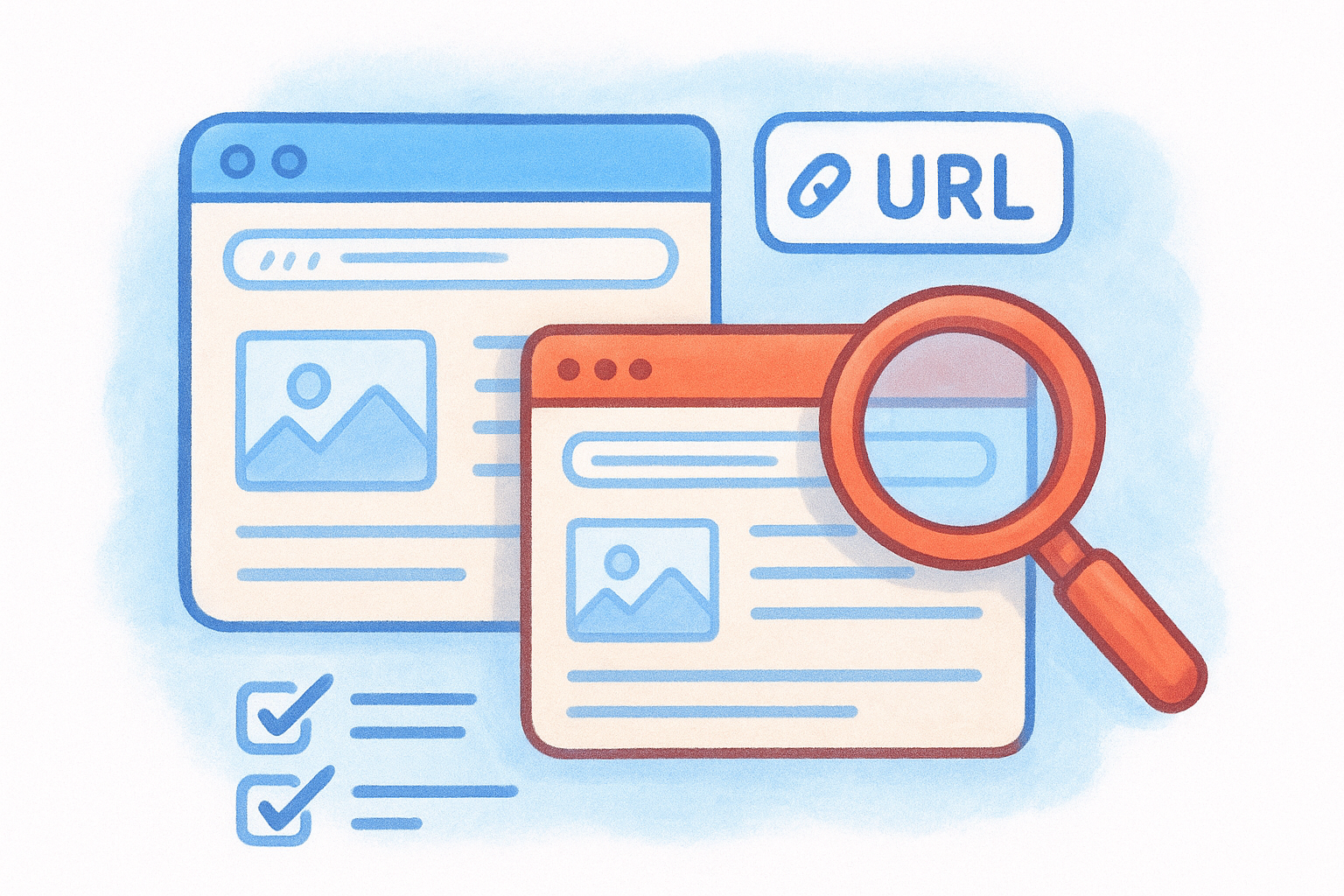
Common situations where canonical tags for SEO solve this problem include:
- Product variations like different colors, sizes, or materials that share nearly identical page content
- Sort and filter options on category or service pages that generate unique URLs
- Tracking parameters added by email campaigns or ad platforms
- HTTP and HTTPS versions of the same page if your redirects aren’t configured perfectly
- WWW and non-WWW versions of your URLs
If your CMS generates URLs automatically for any of these scenarios, canonical tags are your fastest fix without touching your site structure or redirects.
Syndicated and republished content
When you publish articles on external platforms or allow other sites to republish your content, duplicate versions of your material appear across the web. Asking those platforms to include a canonical tag pointing back to your original post signals to Google that your site is the authoritative source, keeping the ranking credit where it belongs.
Another scenario worth watching is internal content overlap, where your blog posts, resource pages, and landing pages cover similar topics with nearly identical text. A self-referencing canonical tag on each page keeps Google focused on the version you want to rank.
How to add canonical tags the right way
Adding canonical tags correctly comes down to placing the right code in the right location and keeping it consistent across your entire site. The tag itself is a simple line of HTML, but where you put it and how you write it determines whether Google reads it as a reliable signal or ignores it entirely.
Adding the tag to your HTML head
The canonical tag lives inside the <head> section of your HTML, and it looks like this:
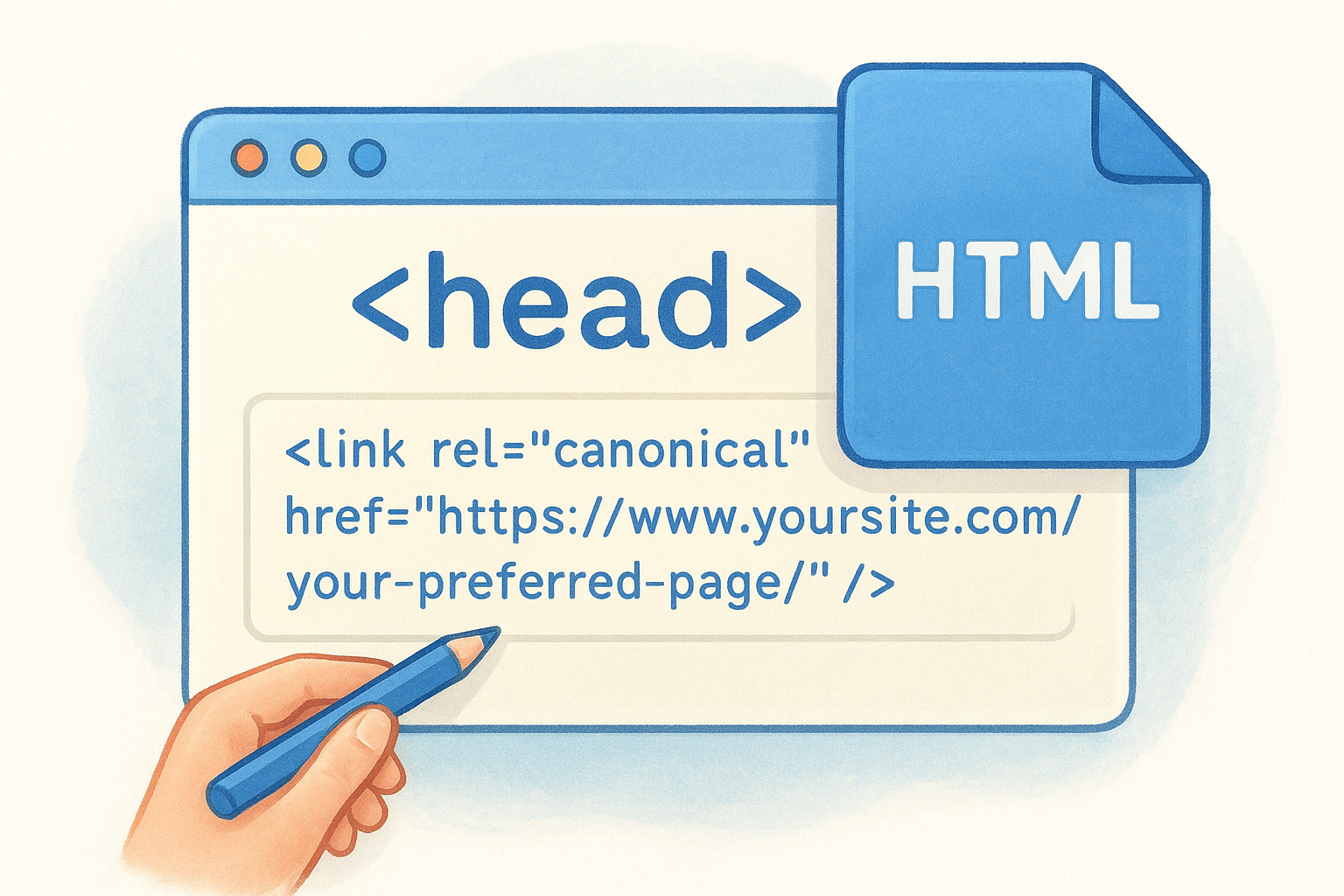
<link rel="canonical" href="https://www.yoursite.com/your-preferred-page/" />
Google recommends using the absolute URL (the full address including https://) rather than a relative path. A relative path can create ambiguity, especially if your site has subdomains or mixed protocol configurations. Every page on your site should carry a canonical tag, including pages that have no duplicates. A self-referencing canonical on a unique page simply confirms to Google that the page itself is the preferred version.
Consistency is critical: if your canonical URL uses HTTPS and WWW, every canonical tag across your site should follow that exact same format.
Setting canonicals through your CMS
If you use a content management system like WordPress, you likely don’t need to touch code directly. SEO plugins built for WordPress handle canonical tags for SEO automatically and let you override them on a per-page basis when needed. Check your plugin settings to confirm it generates canonical tags by default, and verify the format it uses matches your preferred URL structure with the correct protocol and domain variation.
For custom-built websites, your developer can add canonical tags programmatically so they generate automatically based on your URL rules. That approach keeps your setup scalable as your site grows, rather than requiring manual edits for each new page you publish.
How to audit and fix common canonical issues
Canonical tags only work when they’re consistent and accurate. If your tags point to the wrong pages, conflict with your redirects, or form chains between multiple URLs, Google treats them as unreliable hints rather than clear instructions. Running a regular audit keeps your setup clean and ensures your ranking signals flow where you intend.
Check for conflicting signals
Start your audit by crawling your site with a tool like Google Search Console to surface pages where your declared canonical URL doesn’t match the page Google has chosen to index. This mismatch is one of the most common canonical problems, and it usually means your canonical tag points to a URL that’s blocked, redirected, or returning an error. Google will override your canonical tag if the destination isn’t a valid, accessible page.
Watch for these specific conflicts during your audit:
- Canonical tags pointing to redirected URLs instead of the final destination
- Noindex tags on canonical pages, which tell Google to ignore the very page you’re prioritizing
- Hreflang tags and canonical tags disagreeing about which URL serves which region or language
- Pagination pages carrying canonical tags that point to page one instead of self-referencing
A canonical tag that points to a blocked or redirected URL is worse than no canonical tag at all, because it sends Google a contradictory signal it will simply ignore.
Fix chains and missing tags
Canonical chains happen when Page A canonicals to Page B, which canonicals to Page C. Google may follow the chain but often stops partway through, leaving your preferred page without the full signal benefit. Fix this by updating every tag to point directly to your final preferred URL. For missing canonical tags, prioritize your highest-traffic pages first, then work systematically through the rest of your site to ensure every page carries a valid, self-referencing or consolidating canonical tag for SEO purposes.
Canonical tags vs redirects and other signals
Canonical tags and 301 redirects both consolidate duplicate content, but they serve different purposes and aren’t interchangeable. A canonical tag tells search engines which page to treat as the preferred version while keeping all URLs accessible to users. A redirect automatically sends both users and search engines from one URL to another, removing the duplicate from circulation entirely. Choosing the wrong tool for the job creates messy signals that Google has to sort through on your behalf.
When a redirect works better than a canonical
If you’ve permanently retired a page and have no reason to keep the old URL live, a 301 redirect is the cleaner solution. It passes link equity to the destination, removes the duplicate from your site, and eliminates any ambiguity. Canonical tags for SEO work best when you need the alternate URL to stay live for practical reasons, such as tracking parameters you share with partners or print versions of pages that users actively visit. The moment you no longer need the secondary URL to function for real visitors, replace the canonical with a redirect instead.
Use a canonical tag when both URLs need to stay accessible; use a redirect when the old URL serves no purpose for real visitors.
How canonical tags interact with other signals
Canonical tags don’t operate in isolation. When your noindex tag and canonical tag point to different pages, Google receives contradictory instructions and typically ignores your canonical preference. Similarly, if you use hreflang tags to serve different language or regional versions of a page, each regional URL should carry its own self-referencing canonical rather than pointing to a single master URL. Combining these signals incorrectly undoes the work each one is supposed to do, so auditing them together gives you a complete picture of how Google interprets your site’s structure.
Next steps for a cleaner URL setup
Now that you understand how canonical tags for SEO work and where they fit alongside redirects, noindex tags, and hreflang, the next move is to audit your own site. Start with Google Search Console to identify pages where Google’s chosen canonical doesn’t match yours, then work through the common conflict types covered in this guide. Fixing those issues gives your strongest pages a clear advantage in search results.
Handling technical SEO details like this on top of running a business is a real time investment. If you’d rather have an expert handle it from the ground up, a professionally built, properly optimized website makes all the difference. At Avatar Website Design, we build sites for small businesses that are structured correctly from day one, so your ranking signals go exactly where they need to go without the guesswork.